
Automatic GoHighLevel lead routing for a seven-agent real estate brokerage
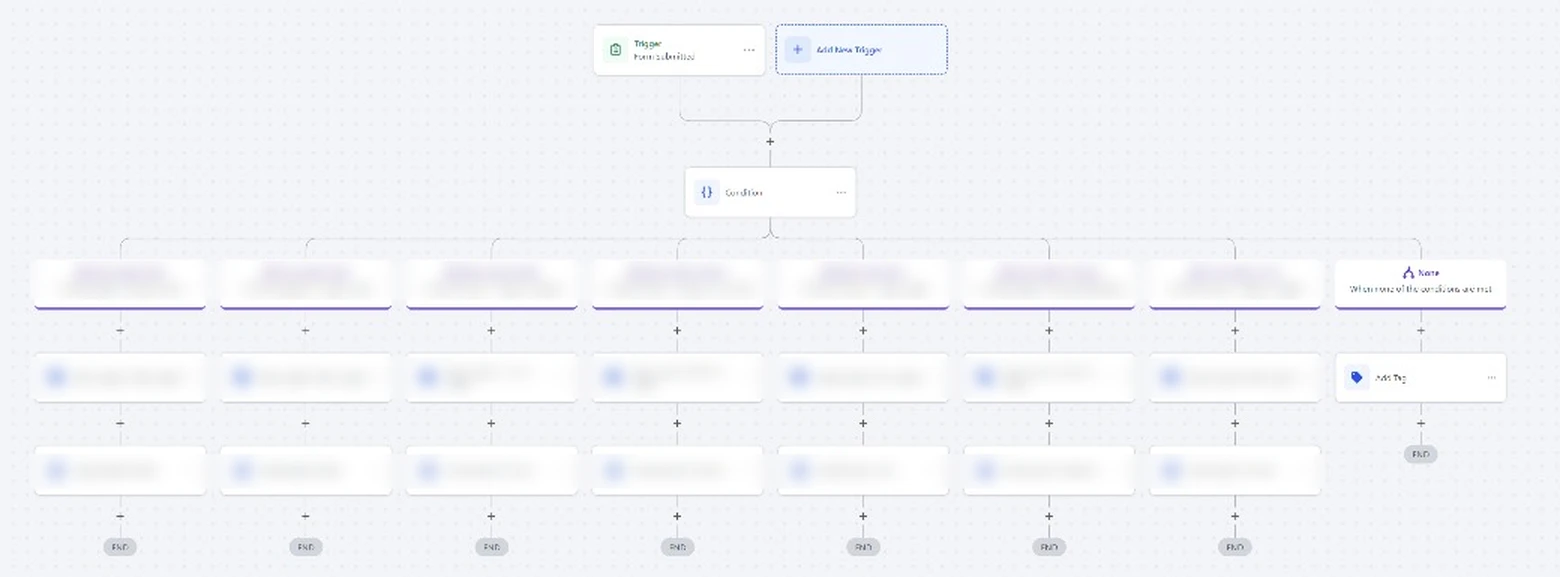
Website enquiries named the agent the buyer or seller wanted to work with, but someone still had to read each one and assign it by hand. We replaced that step with a GoHighLevel workflow that routes every lead the moment it arrives.
- Client
- Real estate brokerage, 7 agents
- Platform
- GoHighLevel
- Trigger
- Website form submission
- Routes
- 7 agent branches + fallback
The lead routing problem at the brokerage
The brokerage's website form asks each enquirer which agent they're working with or want to speak to. Every submission landed in GoHighLevel unassigned. Someone in the office had to open it, read the answer, tag the contact and set the right agent as owner.
That manual step was the weak point. When the office was busy, leads waited. When the answer didn't match an agent exactly, the lead could sit with no owner at all. And because tags and owners were set inconsistently, each agent's pipeline and reports were never quite right.
How the GoHighLevel routing workflow works
- 01
Form trigger
The workflow starts the moment the website form is submitted, so nothing waits for office hours.
- 02
Agent condition
One condition step reads the "Who's your agent" answer and sends the lead down the matching branch, one for each of the seven agents.
- 03
Consistent tagging
Each branch adds that agent's tag, so contacts can be filtered, reported on and followed up by agent.
- 04
Automatic assignment
Each branch then assigns the contact to the agent as owner, which also puts the lead in front of them in GoHighLevel.
- 05
Fallback for unmatched leads
If the answer doesn't match any agent, a separate branch tags the lead for review, so no enquiry is left without an owner.
- 06
Easy to extend
Adding a new agent is one new branch with the same two steps, which the brokerage can do itself.
What changed for the brokerage
- Every website lead is tagged and assigned the moment it's submitted, with no manual step in between.
- Leads that don't name a known agent are flagged for review instead of sitting unowned.
- Each agent's pipeline, tags and reports now reflect the leads they actually own.
- The office no longer spends time sorting form submissions.
What should your business stop doing manually?
Tell us what slows your team down. We'll show you what can be automated.